Should You Answer EEO Questions on Job Applications? Voluntary Self-ID Explained (2026)
Should You Answer EEO Questions on Job Applications? Voluntary Self-ID Explained (2026)
TL;DR — Yes, you can decline, and declining is designed to be safe. EEO questions about race, ethnicity, gender, protected veteran status, and disability are voluntary self-identifications collected for US equal-opportunity compliance and aggregate reporting, not for screening. The forms themselves state that refusing to answer cannot be held against you, and employers are supposed to keep your answers walled off from the people evaluating your application. Answering honestly supports representation data, declining is a valid choice many candidates make, and the only wrong move is answering untruthfully. Jobzmatic treats these answers as user-controlled disclosures: never inferred, never guessed, always visible before you submit.
What EEO Questions Are (and Why They Exist)
Near the end of most US job applications you will hit a screen asking about your race or ethnicity, gender, protected veteran status, and sometimes disability. These are EEO self-identification questions, named for equal employment opportunity, the framework that governs fair-hiring compliance in the US job market.
They are not screening questions. Nothing you select here is supposed to influence whether you get an interview. The questions exist because employers need aggregate demographic data to monitor their own hiring practices and to satisfy US equal-opportunity compliance rules. The only way to check whether a hiring process treats candidate groups fairly is to collect population-level data, and the EEO form is that collection mechanism.
The invitation itself is the lawful pattern, and it comes in two flavors:
- Federal government contractors are required to invite the disclosure. Their compliance obligations under federal contract rules expect them to ask every applicant, every time.
- Most other employers collect voluntarily for their own compliance monitoring, using the same question format because it is the accepted standard.
Either way, the defining trait is identical: the questions are voluntary, the form says so explicitly, and there is always a way to decline.
The Protections Around Your Answers
Three protections are built into how EEO data is supposed to work.
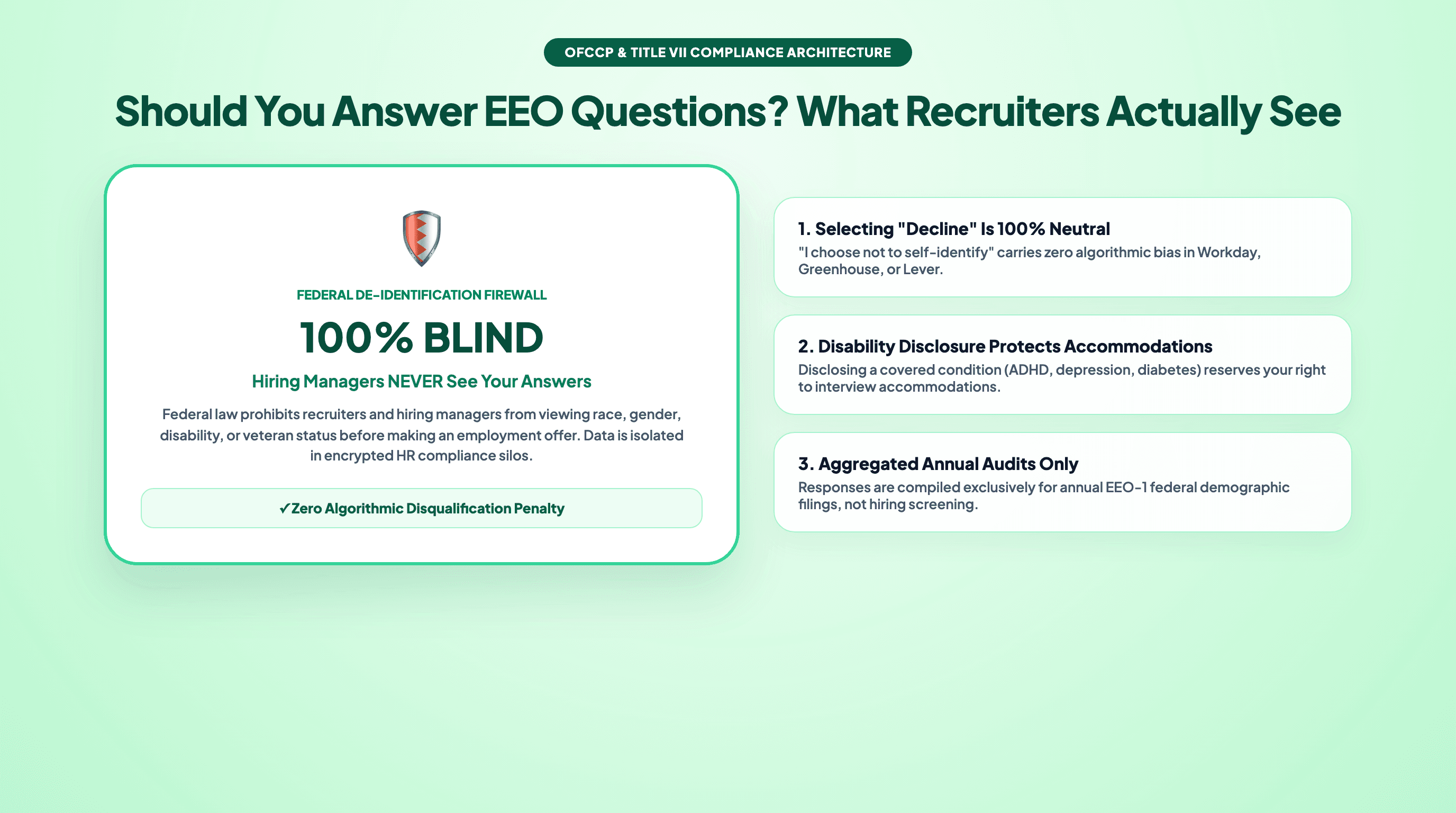
First, separation. Your answers are supposed to be stored separately from your application and from the hiring evaluation. The recruiter deciding whether to move you forward and the hiring manager running your interviews are not supposed to see this data at all.
Second, purpose limitation. EEO answers exist for aggregate compliance reporting, not selection. The compliance team reviews totals and percentages across all applicants to check for patterns. Individual answers are not inputs to an individual hiring decision.
Third, the right to decline. The forms themselves state that declining cannot be held against you. This is not decorative fine print: the voluntary framing and the decline option are part of what makes the collection lawful in the first place.
One honest caveat. These are structural rules employers must follow, not technical guarantees you can verify from the outside. How well a specific employer implements the separation is invisible to you as a candidate. That is exactly why some candidates decline every EEO question as a matter of personal privacy, and that choice is protected.
The Disability Self-Identification Form Is a Slightly Different Animal
The disability question usually arrives on its own standardized form rather than as a dropdown inside the demographic block. It uses the OFCCP standard wording, published by the US Department of Labor's Office of Federal Contract Compliance Programs, and you can recognize it by its fixed preamble and distinctive layout.
Like the rest of the EEO block, it asks voluntarily. It offers three options: identify as a person with a disability, identify as not having a disability, or select "decline to state". All three are acceptable answers, and the form itself says your response will be kept confidential and used only for compliance reporting.
Because the wording is standardized, the form looks the same across employers, which surprises candidates who expect every company to write its own questions. It also appears on applications even when the rest of the demographic questions are condensed or absent.
Should You Answer? An Honest Decision Framework
There is no universally correct answer, so here is the honest breakdown.
Answering helps aggregate representation data. If the process is compliant, answering costs you nothing: your selections flow to the compliance store, not to the recruiter, and the aggregate statistics become more accurate, which is the entire point of the exercise.
Declining is a valid choice many candidates make. Every EEO form has a decline option, the forms themselves state declining cannot be held against you, and plenty of applicants use it when they would rather not share demographic details with an employer they have no relationship with yet.
The wrong move is answering untruthfully. A false answer corrupts the compliance data the form exists to collect, and it gains you nothing, because EEO answers are not part of the selection evaluation anyway. There is no strategic advantage to inventing a response, only a quiet cost to the data's integrity.
A simple way to decide: if you are comfortable sharing and the employer looks like it runs a compliant process, answer honestly. If you would rather keep that information private, decline everywhere without guilt. Either way, spend your limited attention on the parts of the application that actually drive selection, starting with how your resume is parsed, covered in our guide to how to beat the ATS.
Where the EEO Form Actually Goes (and Why It Appears at the End)
The most common confusion is timing. Candidates expect demographic questions up front, so when a detailed form appears after the submit button in many portals, it feels suspicious. In portals like Workday, a separate demographic questionnaire often surfaces as its own step after your application is already in. The late placement is intentional: the questions sit after the application is complete so they cannot be mistaken for a gate you must pass to apply.
The second confusion is audience. The EEO data is typically disconnected from the hiring manager view entirely:
WHAT YOU FILL IN                 WHERE IT GOES
----------------                 -------------
Resume + work history -------->  Recruiter review --> hiring manager
Screening answers ------------>  Recruiter review --> hiring manager
                                      ^
                                      |
                                 (walled off)

EEO self-ID answers ---------->  Separate confidential
                                 HR / compliance store
                                        |
                                        v
                                 Aggregate compliance reporting
                                 (totals and percentages only,
                                  never tied to who gets selected)
If the process works as designed, the recruiter who reads your resume and screening answers never sees your EEO responses, and the compliance team that reads your EEO responses is not attaching your name to a hiring decision.
How Jobzmatic Handles EEO Questions
Jobzmatic resolves ordinary application questions through a layered pipeline: Layer 0 direct resume-data heuristics for things like phone, email, and work authorization, Layer 1 a QA cache of your past approved answers, Layer 2 knowledge bank lookups, Layer 3 offline statistical rulesets, and Layer 4 an AI fallback queue for whatever remains. Protected-class EEO questions are carved out of that pipeline entirely. No layer may infer, guess, or auto-resolve race, gender, veteran status, or disability.
Instead, EEO answers are treated as user-controlled disclosures:
- You set them once in your profile, or leave them unset.
- You can decline per form, and the extension can select the decline option where a portal offers one.
- Nothing is ever inferred from your name, resume content, or application history.
Every application sits in a held-for-review queue before submission, so you see exactly what will be sent, including any EEO selection, and you get a confirmation screenshot afterwards. The extension runs client-side inside your own logged-in browser session on Chrome and Firefox, never asks for your LinkedIn or ATS passwords, and supports 40+ ATS platforms including Workday, Greenhouse, Lever, and Ashby. That client-side design is also the safer posture against platform enforcement, as we explain in our comparison of server-side vs client-side auto-apply ban risk.
Daily caps keep the pace human: 5/day on free, 15/day on Pro, and 50/day on ProMax. The free tier includes 1,000 credits with no credit card required, and Pro is $9/mo. For the full workflow, see our guide to automating job applications with AI, or go straight to auto-apply.
Frequently Asked Questions
Are EEO questions mandatory?
No. EEO self-identification questions are voluntary by design, and the forms themselves state this plainly. Federal contractors are required to invite the disclosure, but no employer is permitted to require the answer. Every compliant form includes a decline option.
Can declining hurt my application?
The forms themselves state that refusing to answer cannot be held against you, and the voluntary framing is part of what makes the collection lawful. Since EEO answers are supposed to be stored separately from the hiring evaluation, declining leaves your application unchanged.
Who actually sees my EEO answers?
Under a compliant process, your answers go to a separate confidential HR or compliance store used for aggregate reporting, and the people evaluating your application do not see them. The data is reviewed as totals and percentages across applicants, not as part of individual selection. Implementation quality varies by employer, which is why declining remains a legitimate option for privacy-conscious candidates.
Is EEO the same as the disability self-identification form?
They are related but distinct. The EEO block usually covers race or ethnicity, gender, and protected veteran status, while the disability self-identification form is a separate standardized document that uses OFCCP standard wording. Both are voluntary, and the disability form includes its own "decline to state" option alongside yes and no.